
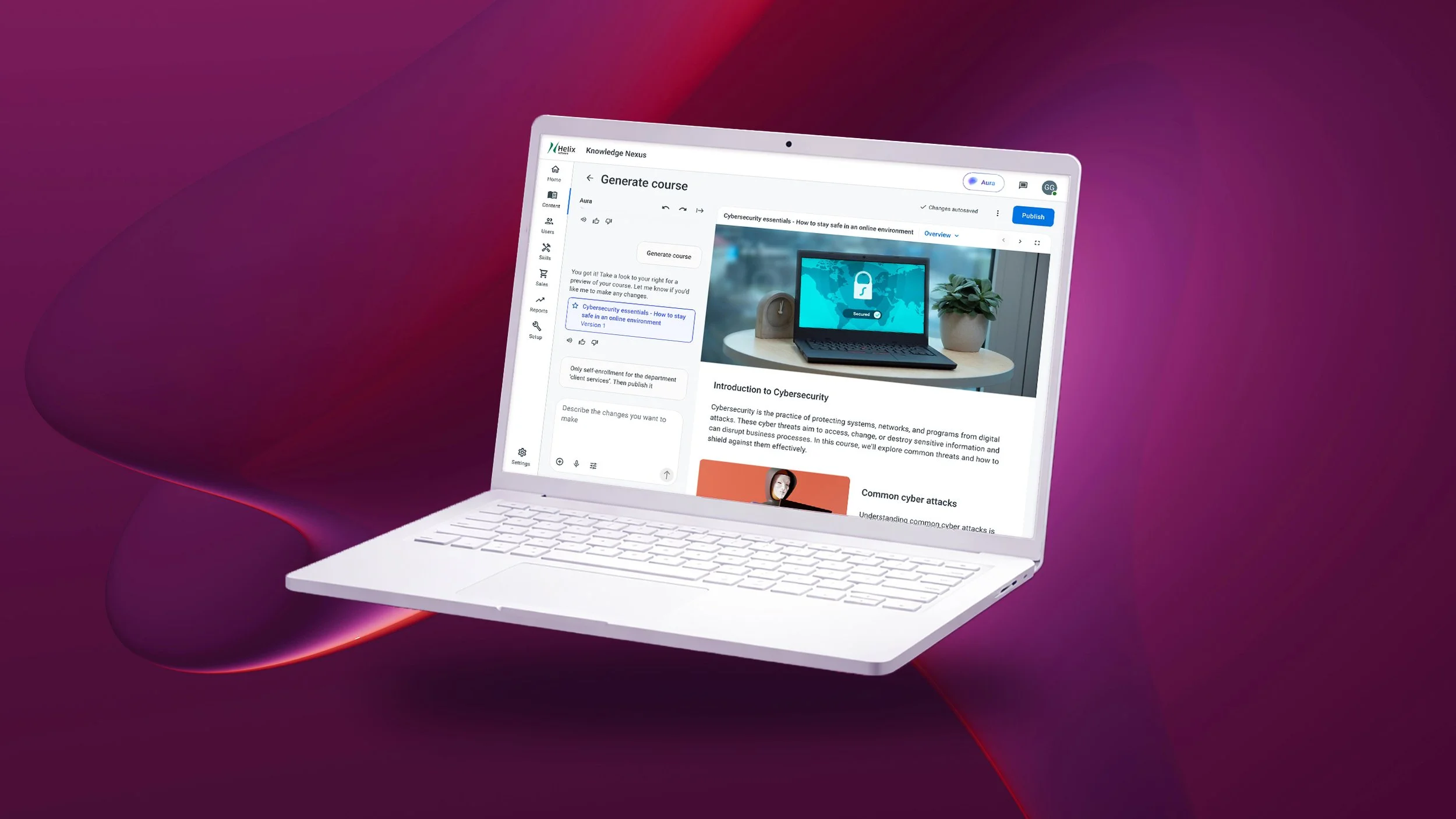
AURA - Course Generator
Instructional design at your fingertips
Aura brings proven instructional design principles directly into the course creation flow, removing the need to start from a blank page. By chatting naturally about a course topic, learning goals, or audience, admins can quickly generate a structured outline that reflects best practices in sequencing, clarity, and learner engagement. This lowers the barrier for non-experts while helping experienced designers move faster without sacrificing quality.
Tell me how you really feel
Course creation with Aura builds on a chat experience admins already use for product help and guidance throughout the LMS. Instead of learning a new tool, admins can start a course by simply having a conversation, describing their topic, goals, or constraints in plain language. Aura adapts in real time, asking clarifying questions, refining scope, and shaping content as the discussion evolves, making course creation feel as natural and flexible as getting help elsewhere in the product.
Project management made easy
Instead of jumping between tools or managing disconnected drafts, admins can generate, review, and publish courses from the same place they already manage content. This streamlined workflow modernizes course management and keeps creation tightly connected to enrollment, reporting, and ongoing maintenance.
Start small and expand
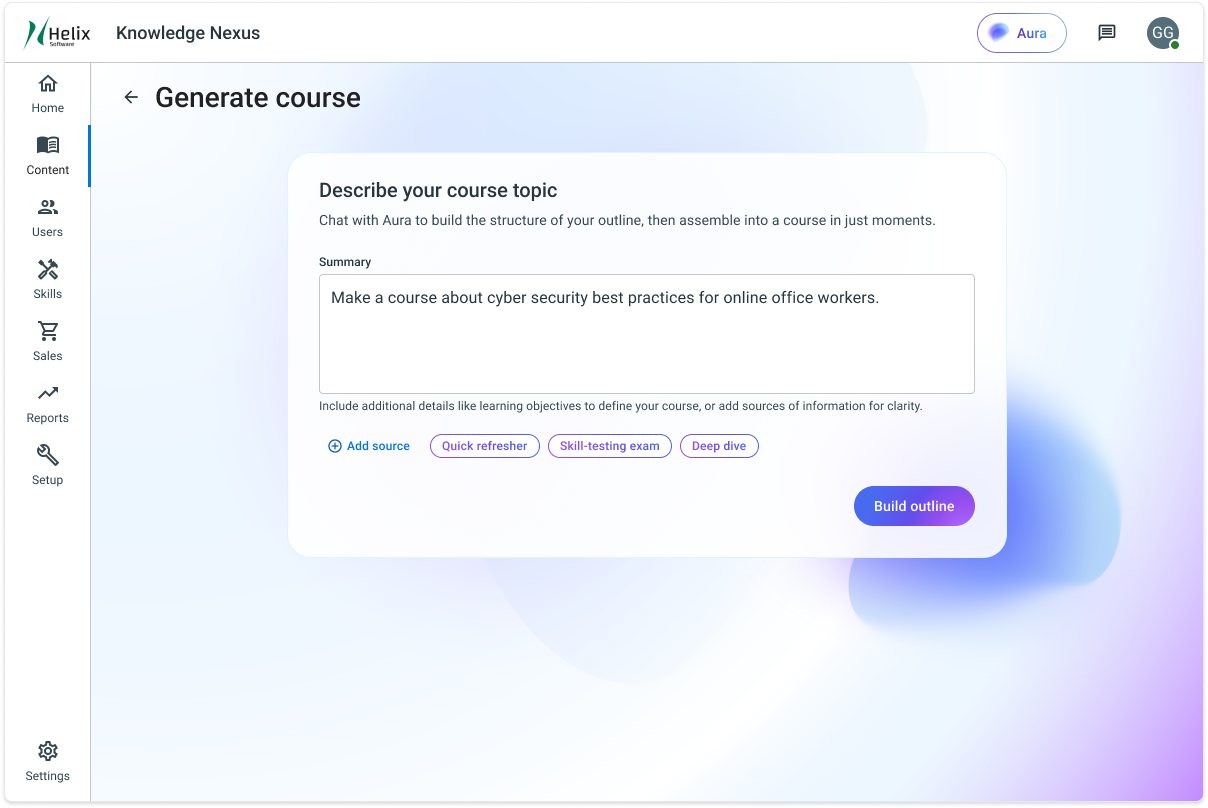
The initial experience focuses on speed and clarity, allowing admins to generate a complete draft course with minimal input. From a short description, Aura produces a structured, article-style course that can be published immediately or reviewed and refined.
The best laid plans
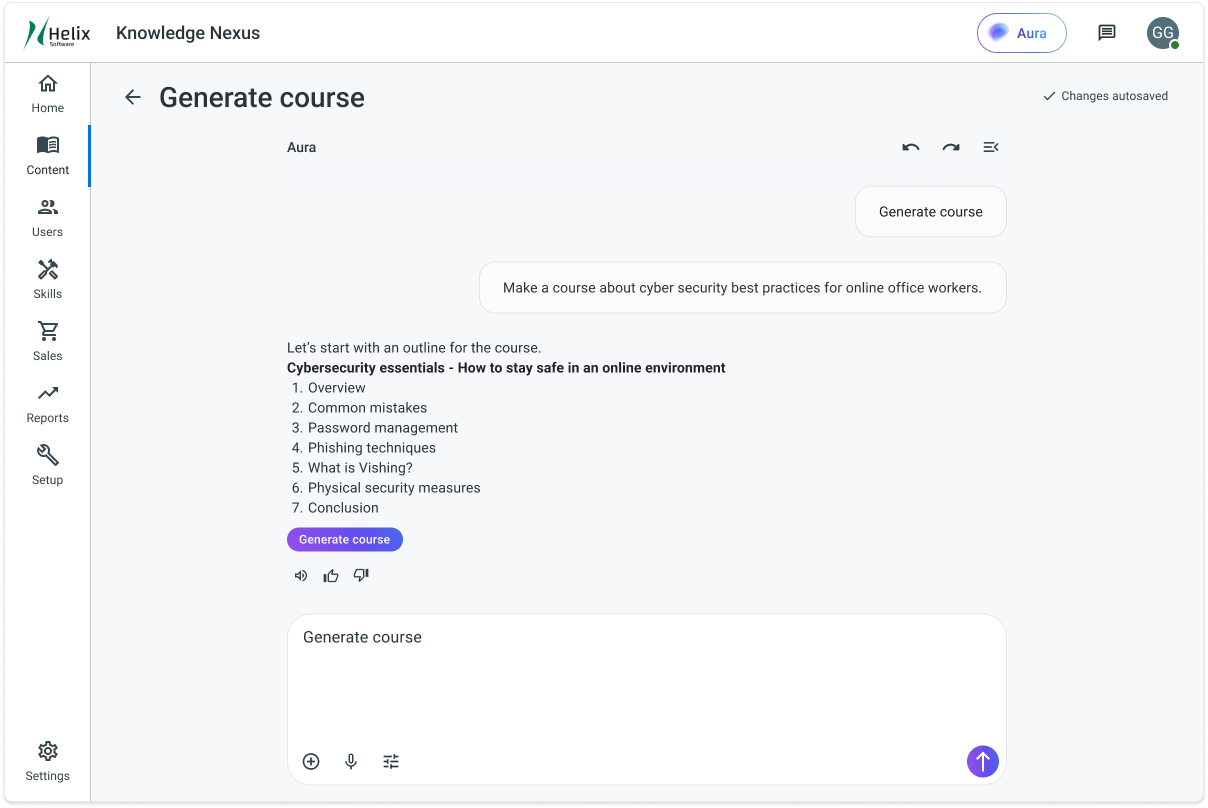
Aura confirms its understanding of the request once it has the essential information by returning a simple text outline. This helps codify the topics within the system, and allows authors to make sweeping changes to content and structure quickly and cheaply.
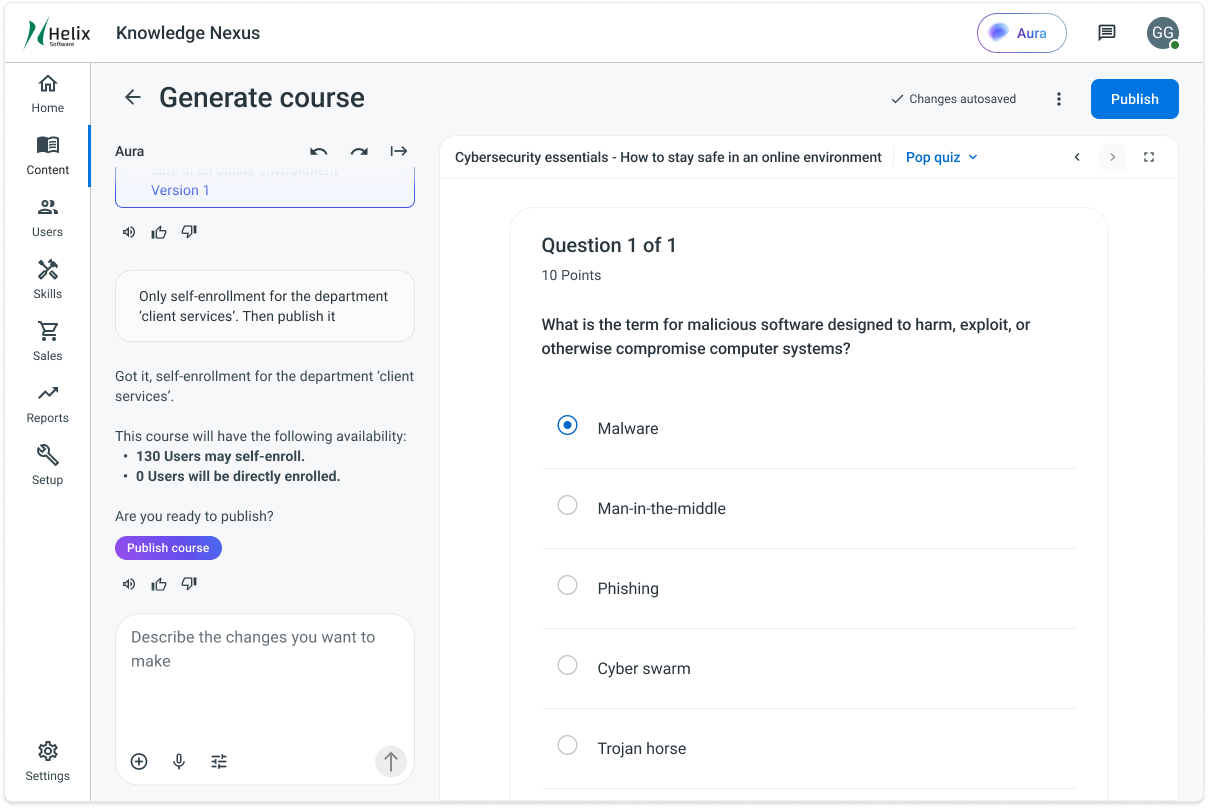
Like magic before your eyes
When an author is content with their plan, they can jump into a full preview of their course from end-to-end. Further conversation can be had to make modifications to the content and appearance. The inevitable desire for fine control over visuals becomes available to directly edit the content in the platform's content-authoring tool as a tertiary option.