
Chat insights
Tune in to what users are ordering up
When users turn to an AI assistant for help, their questions become the clearest signal of what they need, what’s missing, and how the platform is landing. The usage insights featureset tunes in to that signal, giving L&D teams a live stream of AI engagement across an organization.
"If somebody's putting in something to search, they can't follow up with that learner and say, hey, did you find what you needed... I don't really know who. So I don't really know how to help..."
Repurpose raw data left on the table
L&D administrators have course data on Learner completions, but scant details of what learners were missing. As the Aura agents became the primary point of contact for platform support, every question was a potential knowledge gap or content blind spot.
Across customer interviews conducted during discovery, admins described the same frustration: they knew learners were searching and asking questions, but couldn't identify who, what and where they found answers (if any).
Browse the specials
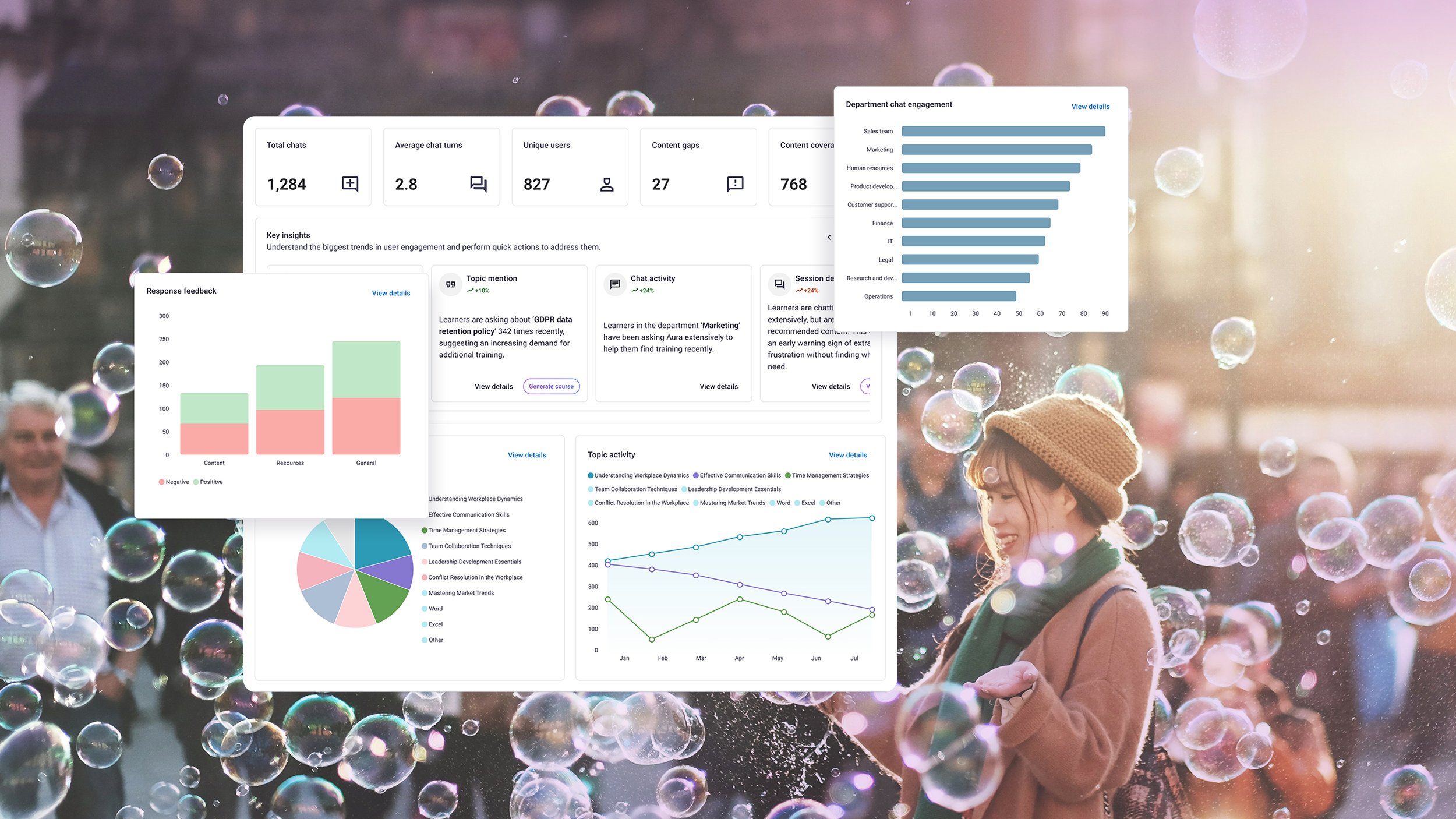
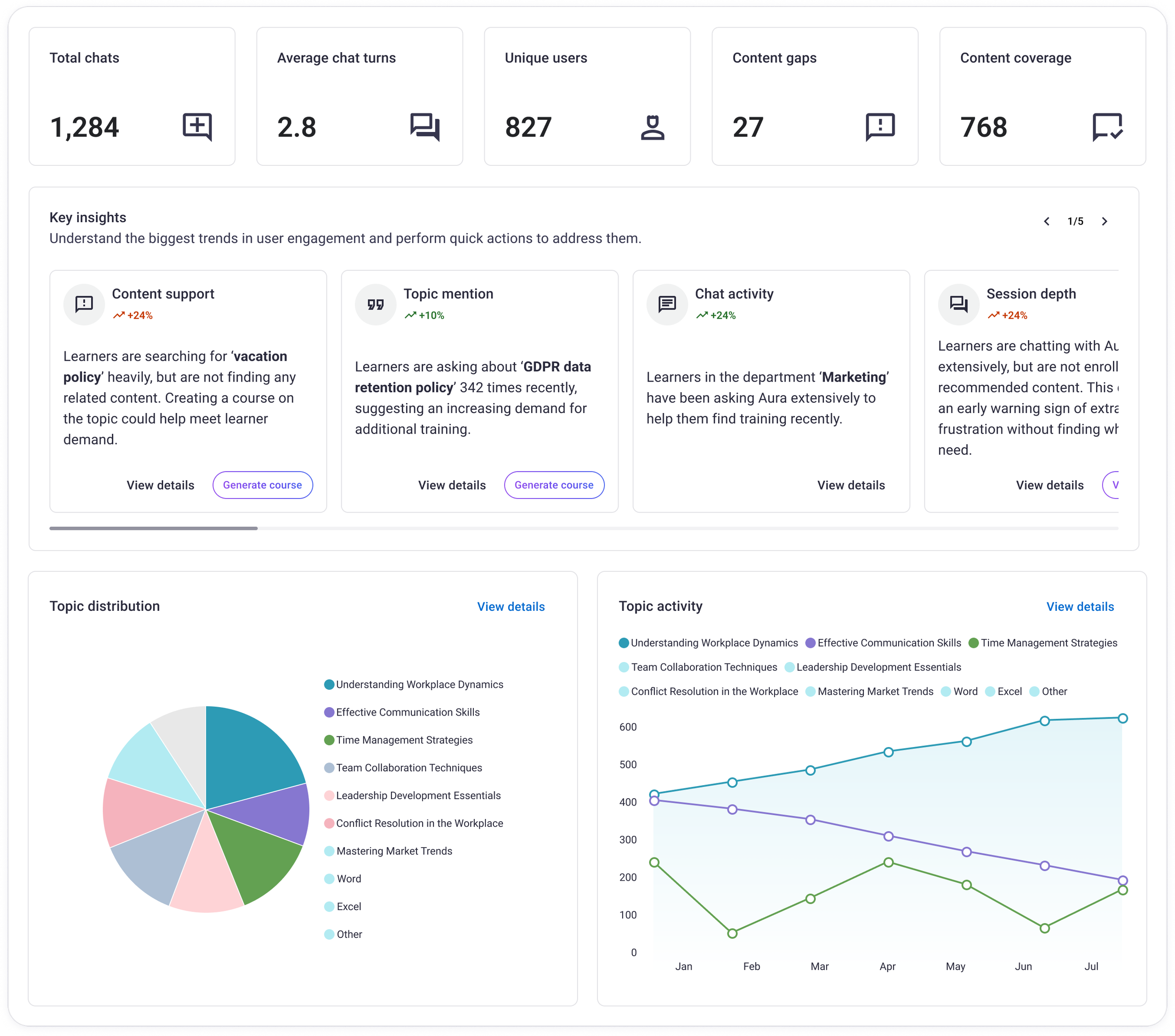
The dashboard template as the primary entrypoint leads with the most essential metrics to gauge the health of an AI-driven system, breaking down key themes into 3 core formats:
Metrics along the top for a quick scan of performance
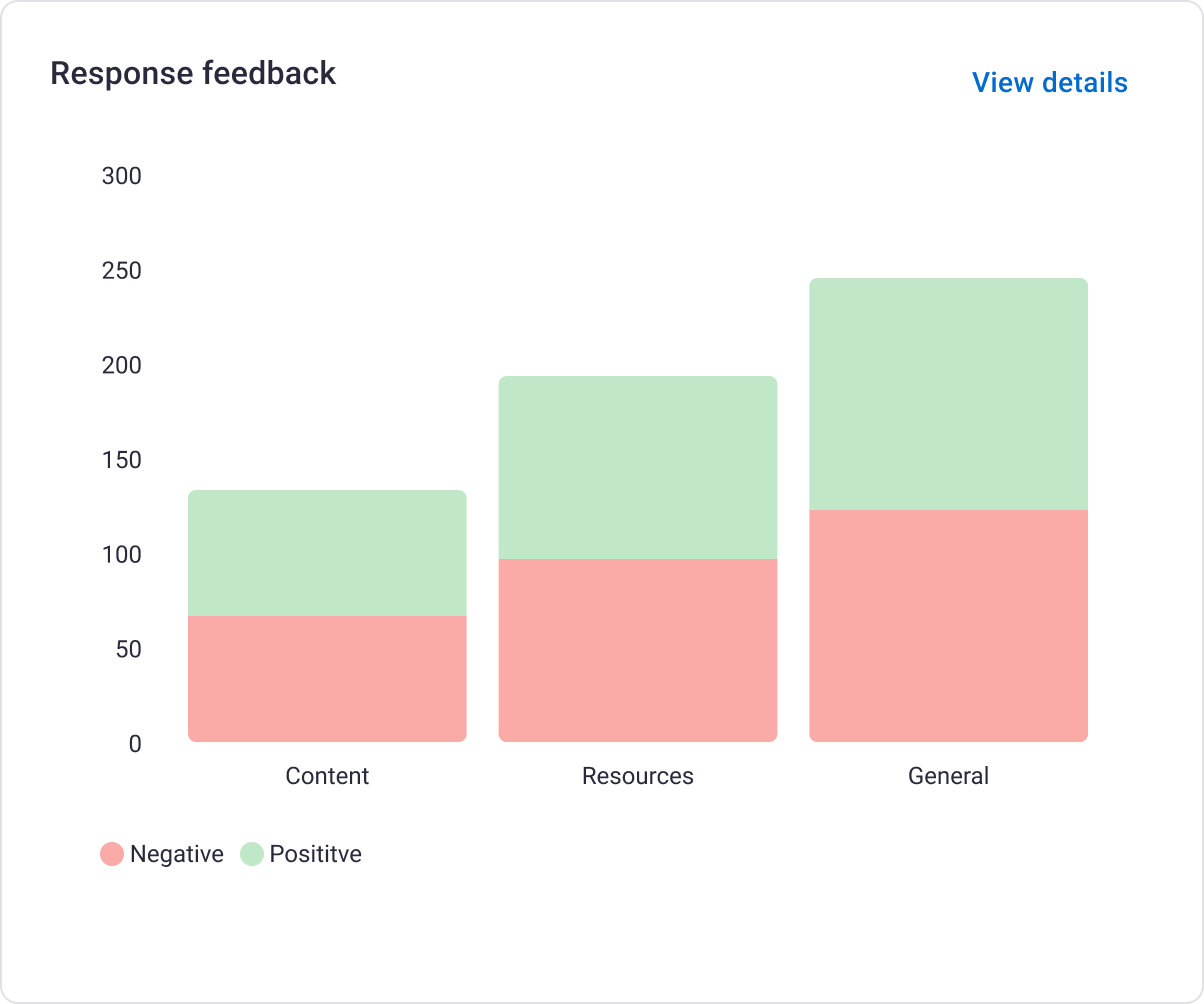
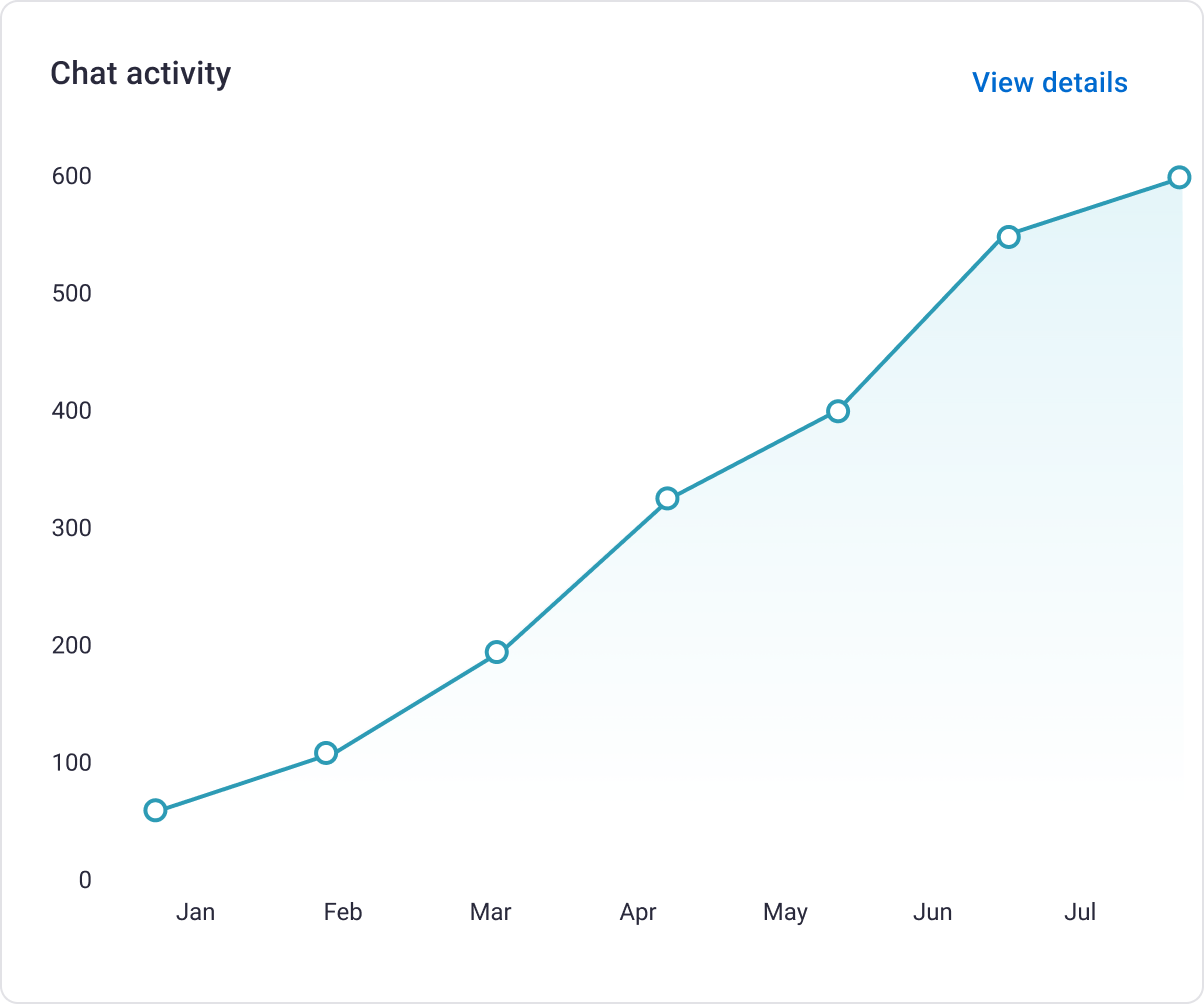
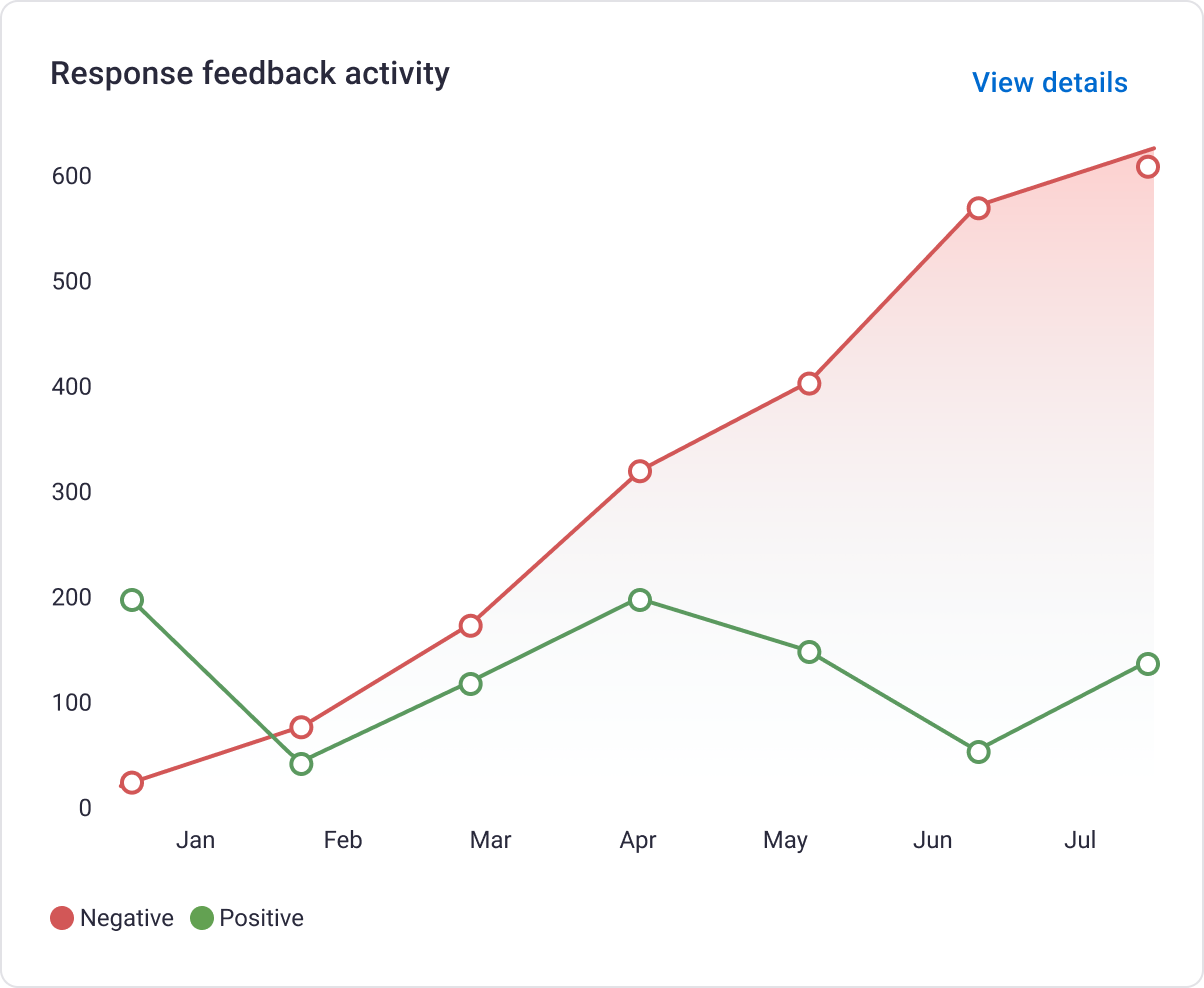
Data visualizations to give a broader picture of activity and trends over time and at scale
Summaries of trends as a band of top-priority trends with commensurate actions to immediate folllowup on as the cherry on top.
Slice and dice topics and sources
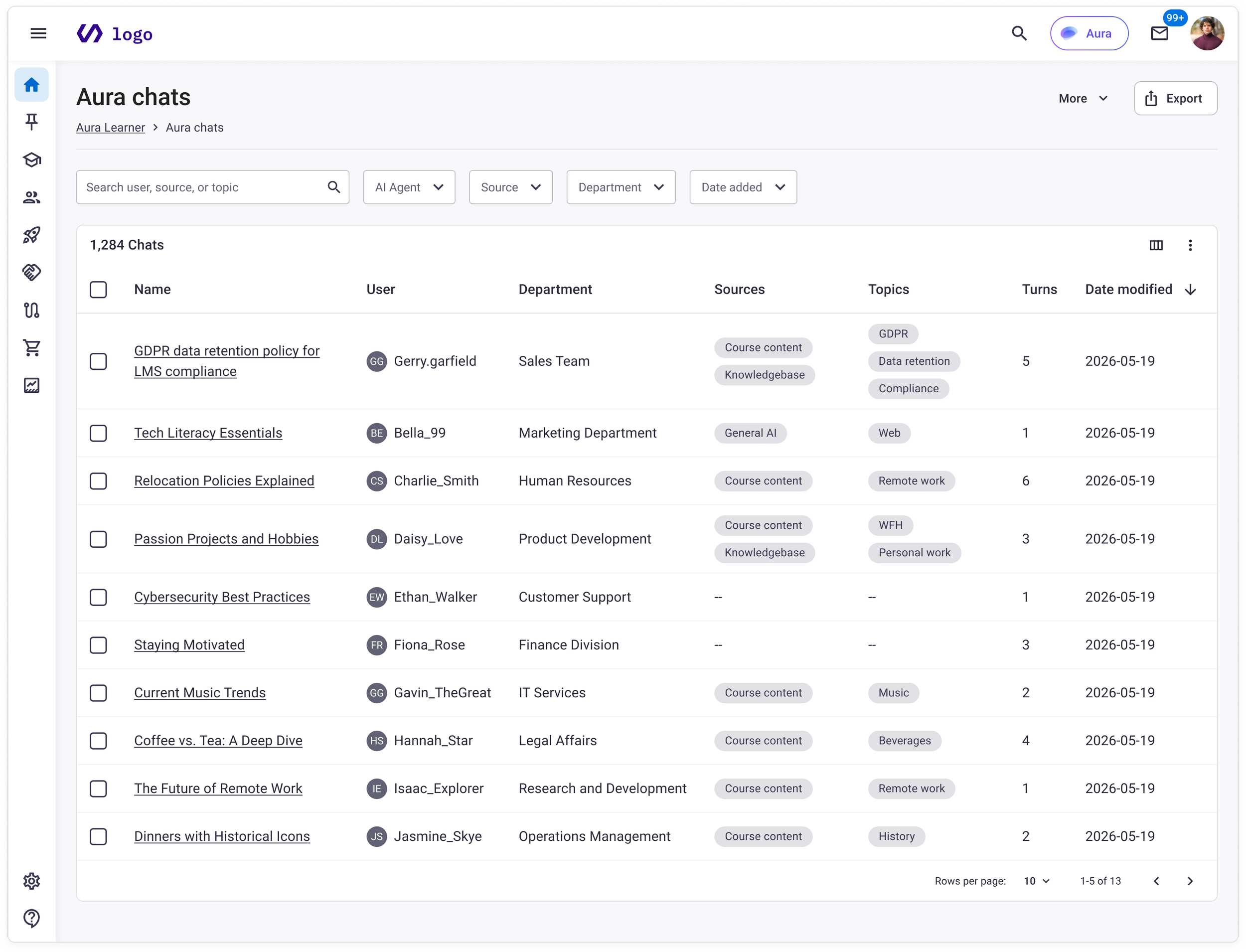
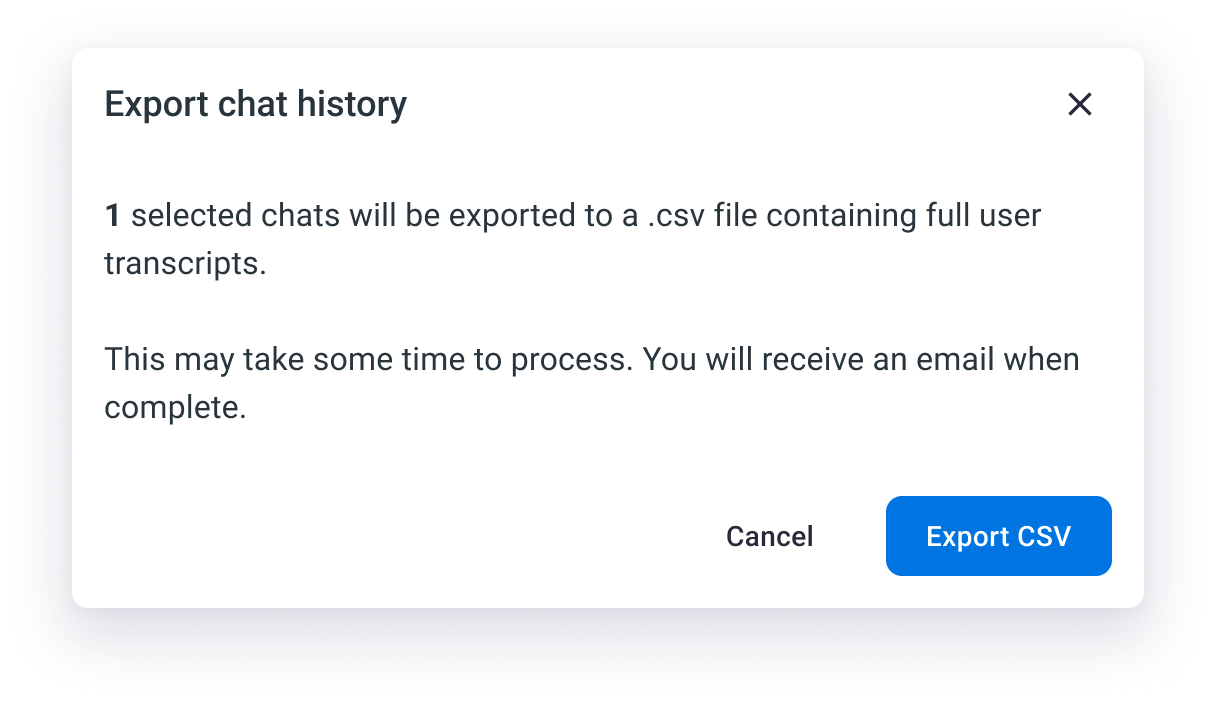
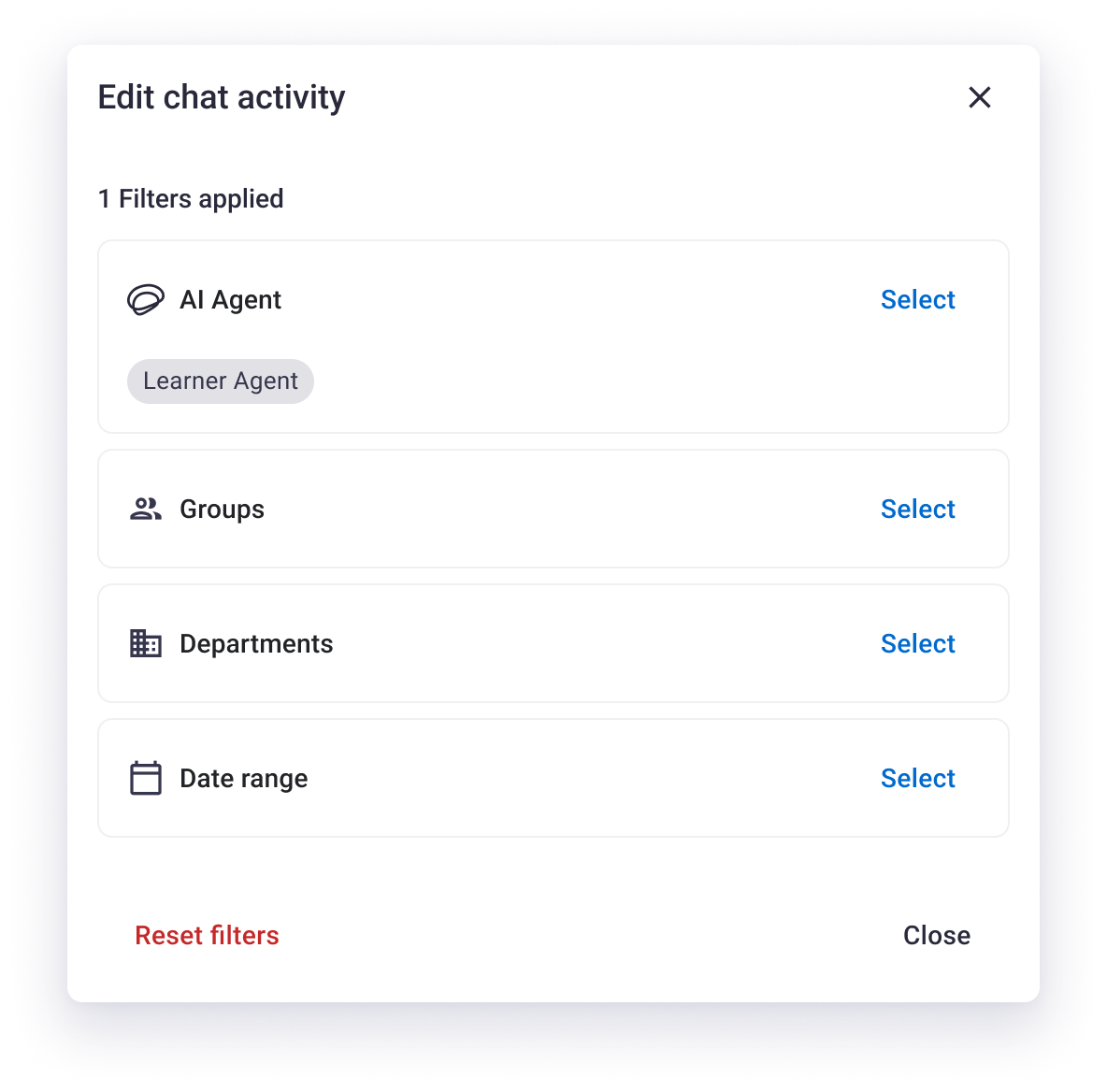
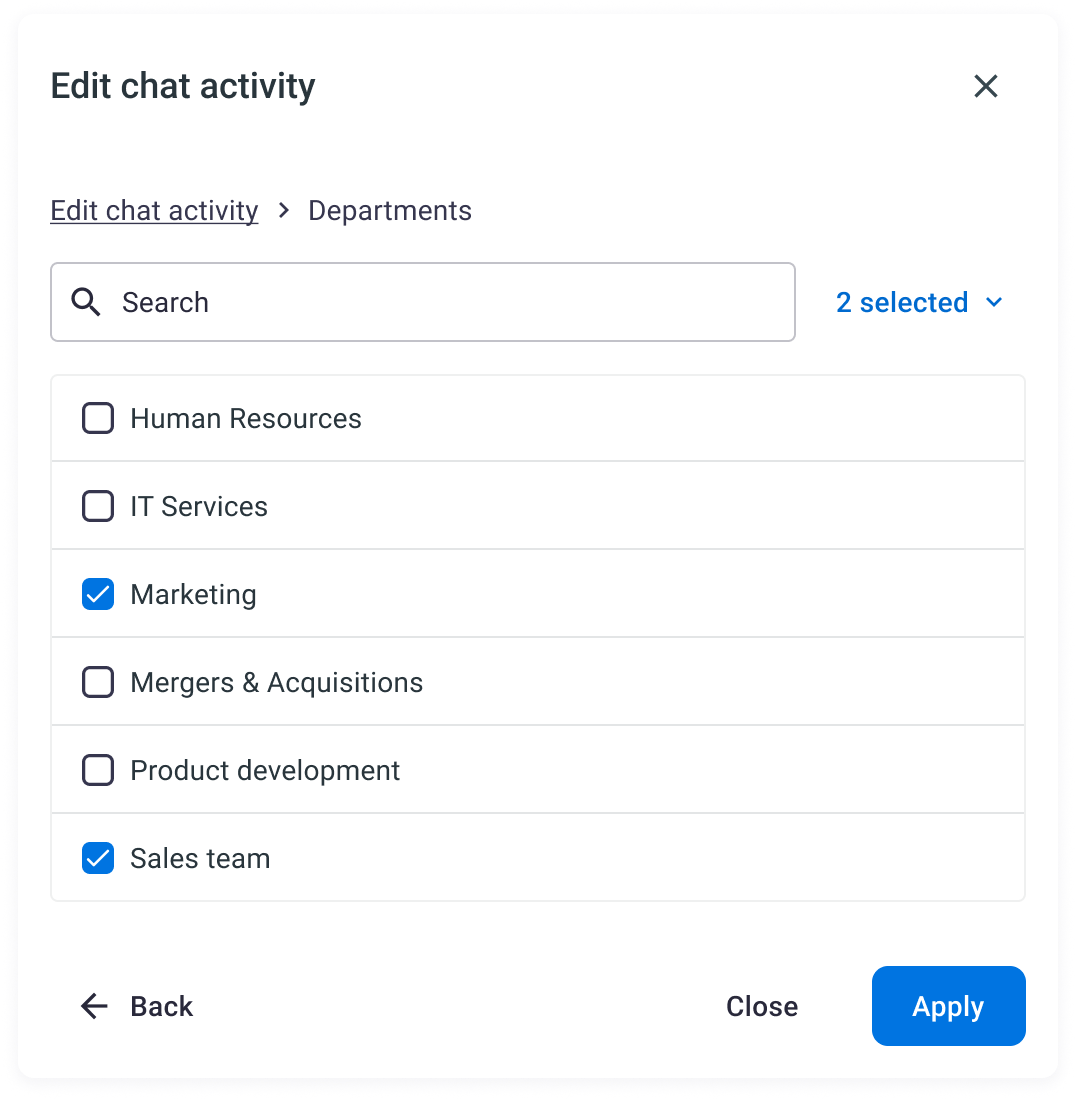
When a user locates a particular finding of note, they can drill down into the logs of every conversation across the organization in a flexible, searchable data table, filtered to the issue of choice.
Each record captures what a user queried, how in depth they continued the conversation, the topics covered, and whether or not the agent returned real sources of information or came up short.
*Of course this level of detail is restricted only to the highest level permissions of system admins with user management access in order to respect individual privacy.
Spill the tea already
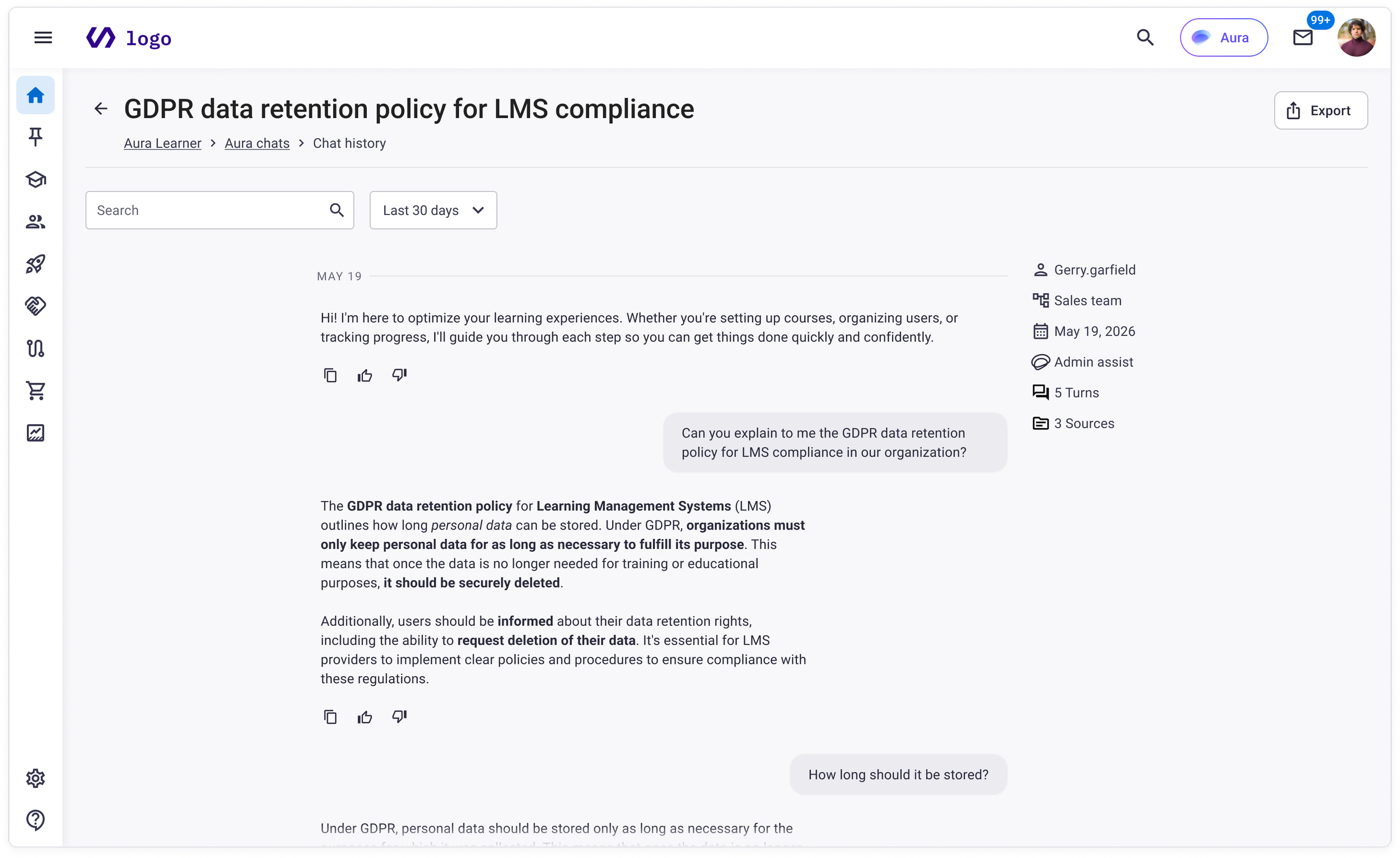
Users can unwrap a conversation record to dig into the juicy details to get the full context of a chat. Repurposing the direct feed from the conversation experience, a search bar and date range filter makes targeted subjects quick to isolate. For content teams doing quality review or revealing real user frustration, this is the finest cut that L&D teams can use to verify any particular thread to get to the core of what users are asking.
Essential ingredients
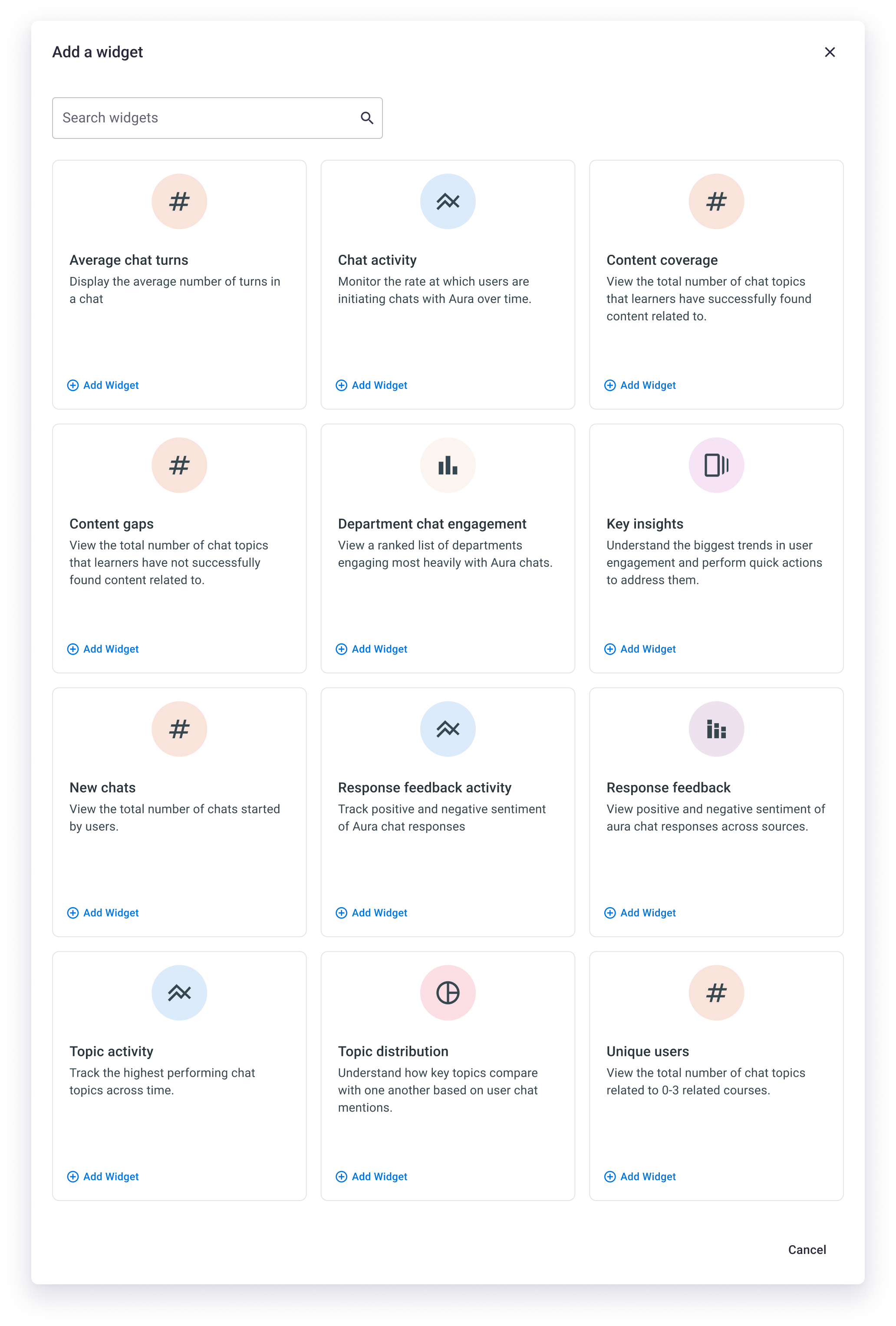
The range of widgets offered in the template collectively served 3 key themes, and could be broken out, customized and mixed in with other dashboards depending on the particular team need.
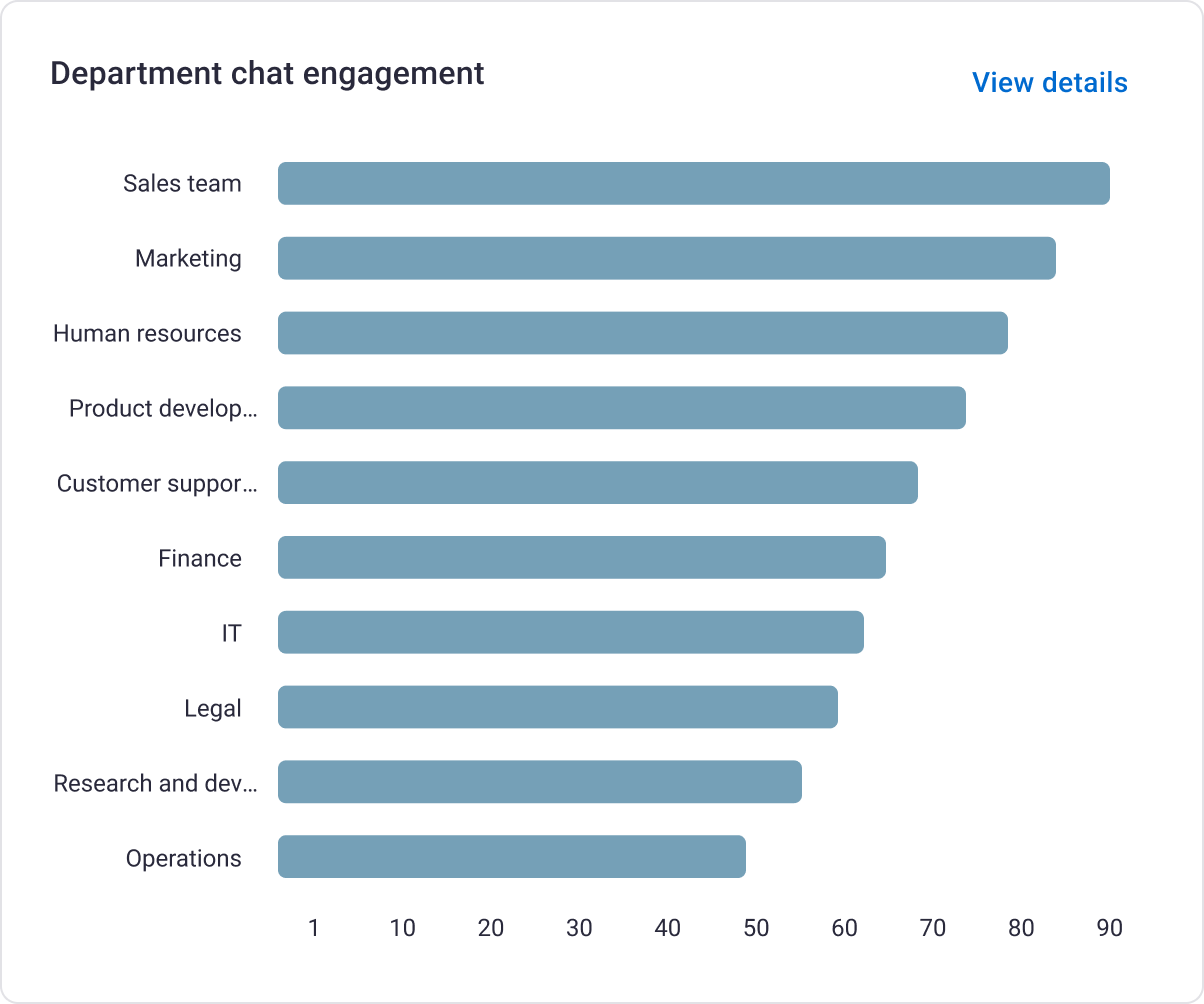
Chat count globally and per department give a summary of user engagement with the platform and the available AI tools.
Topic distribution and trends over time allow the biggest chunks users are interested in to rise to the top to be addressed.
Content gaps ensure any given topic can have its coverage measured by returning search results, making to easy to spot the holes in content libraries for a full-service experience.

8,133
Unique visitors
36%
Account activation
1.6
Avg sessions per user
Going back for seconds
Early adoption data from Pendo reflected strong organic uptake of 8,133 unique visitors after launch. 36% of eligible admins dug in at least once each, indicating a meaningful activation rate that required no opt-in and carried no dedicated onboarding push. Monthly active visitors tracked at 109, with 175 monthly sessions, suggesting repeat usage rather than one-time curiosity.
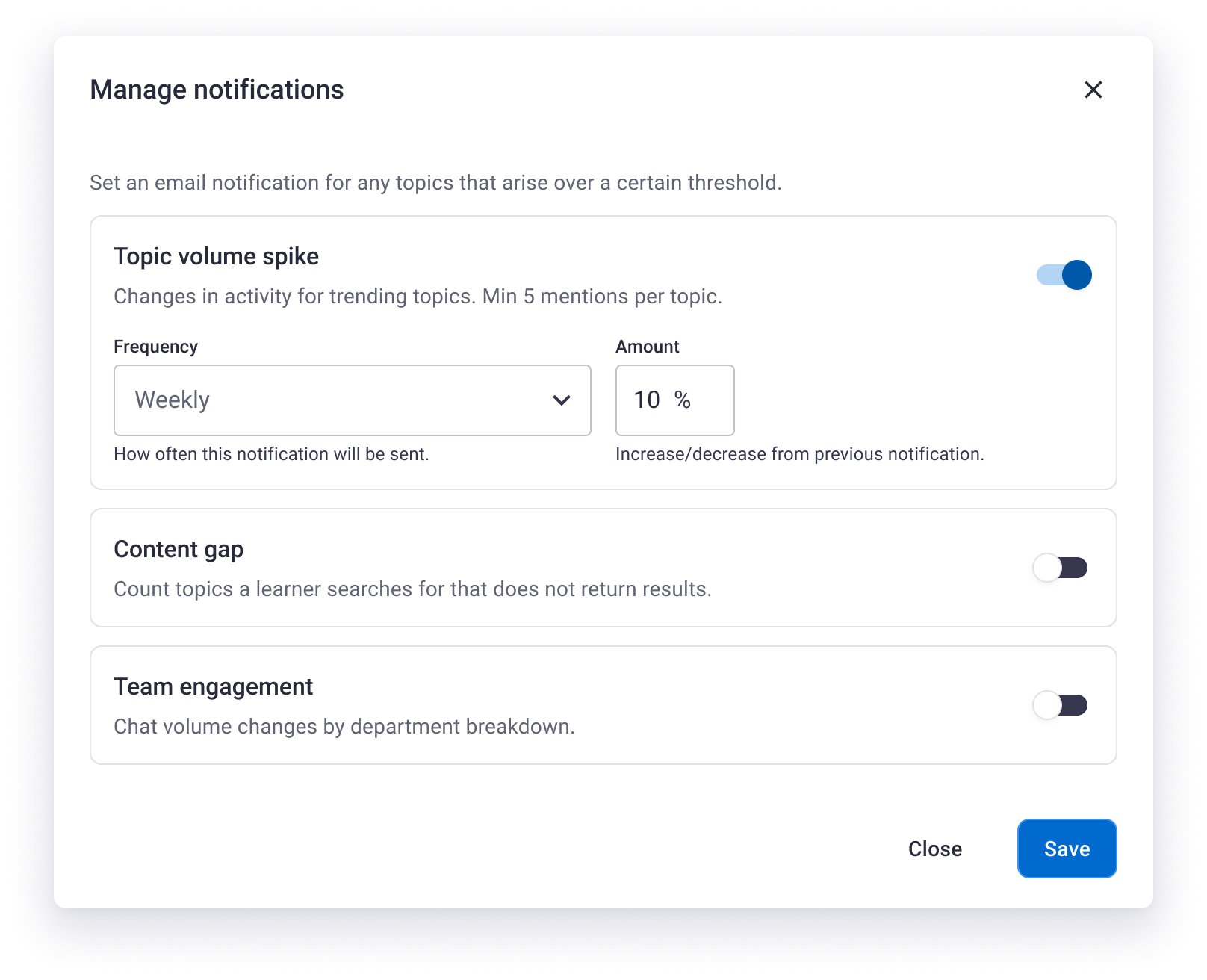
9% of users exported chat history, pointing to a subset moving from passive browsing into active investigation of their data. Taken together, these signals suggested the feature sated the audience it was intended for: administrators who already knew something useful was happening in Aura conversations and finally had a place to see it.